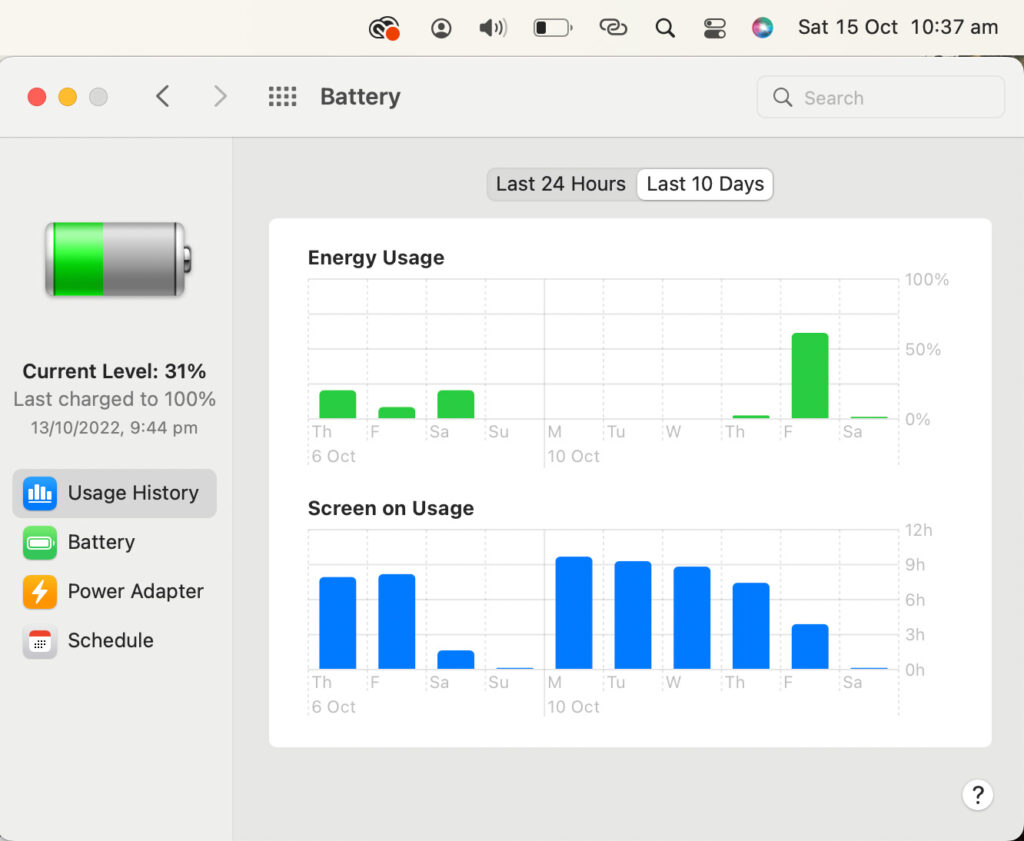
The MacBook Air with M2 chip, launched in 2022, set new standards for portable computing with its slim design, powerful performance, and impressive battery endurance. Even in 2026, as newer M4 and M5 models arrive, many users still rely on the M2 Air for its reliability and value on the secondary market. The standout feature remains its battery life, often praised for lasting through long study sessions, workdays, or travel without constant charging.
Apple officially rates the MacBook Air M2 at up to 18 hours of video playback and 15 hours of wireless web browsing. Real-world results vary based on usage, brightness, and apps, but most owners report strong endurance. This review draws from user experiences, independent tests, and long-term feedback to explore how the MacBook Air M2 battery life holds up today.
Whether you’re a student, professional, or casual user, understanding actual runtime helps decide if this model suits your needs. Let’s break down the details.
Official Battery Specs and Test Conditions
Apple’s claims come from controlled lab tests.
- Video playback: Up to 18 hours (1080p HD content via Apple TV app, low brightness).
- Wireless web: Up to 15 hours (browsing popular sites over Wi-Fi).
These tests use specific settings, like dimmed screens and minimal background activity. In everyday use, factors like screen brightness, app demands, and connectivity affect results. The 13-inch model has a 52.6Wh battery, while the 15-inch version offers 66.5Wh for slightly longer runtime.
Real-World Battery Life: What Users Experience
After years of ownership, MacBook Air M2 battery life proves reliable for mixed tasks.
Light usage, such as web browsing with Safari, note-taking in Pages, and music streaming, yields 12–16 hours. Many report 14–15 hours on a single charge with moderate brightness.
Productivity workflows, including multiple browser tabs, Microsoft Office, Zoom calls, and Slack, deliver 9–12 hours. Video conferencing drains faster due to camera and mic usage, often reducing runtime to 8–10 hours.
Video streaming via Netflix or YouTube at medium brightness lasts 10–14 hours for downloaded or low-res content. 4K streaming shortens it to 8–10 hours.
Intensive tasks, like photo editing in Lightroom or light video cuts in iMovie, drop runtime to 6–9 hours. The fanless design prevents noise but causes slight throttling under prolonged heavy loads.
In 2026, after 2–3 years, many users still achieve 8–12 hours on mixed days, with battery health around 90–95% after 200–400 cycles.
Battery Life Breakdown by Activity
Here’s a practical overview based on aggregated user reports.
- Web browsing (Safari, 10–15 tabs): 12–15 hours
- Video streaming (YouTube/Netflix, 1080p): 10–14 hours
- Productivity (Word, Excel, email, Zoom): 9–12 hours
- Light creative work (Photos, basic edits): 8–11 hours
- Heavy multitasking (coding, multiple apps): 7–10 hours
These figures assume 50–70% brightness and Wi-Fi on. Lower brightness adds 1–2 hours, while full brightness cuts 2–3 hours.
Comparison Table: MacBook Air M2 Battery Life vs Newer Models
The M2 holds its own, especially for lighter tasks. Newer chips offer marginal gains in efficiency.
Battery Health After Years of Use
After 2–3 years, most M2 Air owners report 90–97% battery health with 200–500 cycles. Heavy users see faster drops, but many maintain 92–95% after daily use.
Apple’s Optimized Battery Charging helps by limiting full charges. Low Power Mode extends runtime during demanding sessions.
Tips to Maximize MacBook Air M2 Battery Life
Follow these steps for longer runtime.
- Dim screen brightness or enable Auto-Brightness.
- Use Low Power Mode (System Settings > Battery).
- Close unused apps and browser tabs.
- Turn off Bluetooth and Wi-Fi when not needed.
- Use Safari instead of Chrome for better efficiency.
- Enable Optimized Battery Charging.
- Update to the latest macOS for improvements.
- Avoid extreme temperatures during charging.
These habits add 2–4 hours in many cases.
Frequently Asked Questions
How long does the MacBook Air M2 battery really last in daily use?
Most users get 10–14 hours for mixed tasks like browsing, streaming, and productivity. Light use reaches 15+ hours.
Does the MacBook Air M2 battery degrade quickly?
No, after 2–3 years, health stays at 90–95% for average users. Apple’s management features help maintain longevity.
Is the M2 Air battery better than newer models?
It matches or slightly trails M3/M4 in efficiency. For value in 2026, the M2 offers outstanding endurance at lower cost.
What affects MacBook Air M2 battery life the most?
Screen brightness, background apps, and Wi-Fi usage. Dimming the display and closing tabs make the biggest difference.
Should I buy a used MacBook Air M2 in 2026 based on battery life?
Yes, if battery health is above 90%. It delivers reliable all-day performance for most users.
These questions target common searches about MacBook Air M2 battery life.
Conclusion: Is the MacBook Air M2 Battery Life Still Impressive?
In 2026, the MacBook Air M2 battery life remains one of its strongest features. It delivers 10–15 hours for everyday tasks, making it ideal for students, remote workers, and travelers. While newer models edge ahead slightly, the M2 offers excellent value with minimal degradation over time.
If you need a portable, silent laptop that lasts through long days, the M2 Air continues to impress. Pair it with good habits, and you’ll enjoy reliable performance for years.


