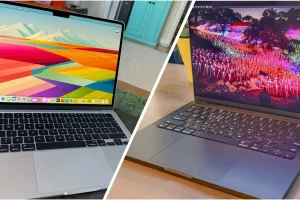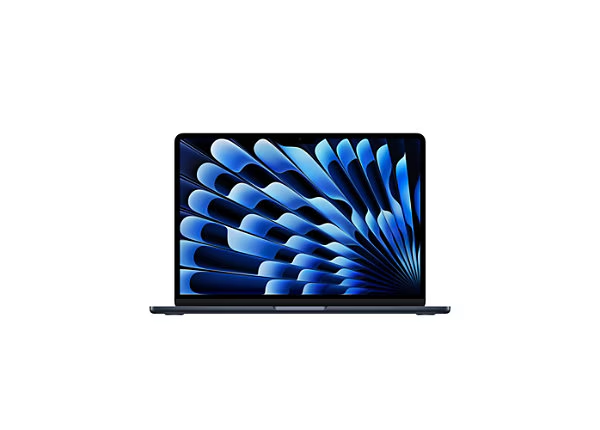
Video editing demands a laptop that handles high-resolution footage, complex effects, color grading, and fast exports without compromise. Apple’s MacBooks lead this space thanks to powerful Apple silicon chips, optimized software like Final Cut Pro, and exceptional displays. In 2026, professionals debate which model offers the best Apple laptop for video editing, balancing performance, portability, and value.
Whether you create YouTube content, produce corporate videos, or work on cinematic projects in DaVinci Resolve or Adobe Premiere Pro, the right choice accelerates your workflow. Apple’s M-series chips excel in media engines for hardware-accelerated encoding, decoding, and effects. This guide covers current models, key features, and recommendations to help you select the ideal machine.
The best Apple laptop for video editing prioritizes sustained performance, color-accurate screens, ample RAM, and efficient cooling. Let’s explore why MacBooks dominate and which one fits your needs.
Why Choose a MacBook for Video Editing?
MacBooks provide seamless integration between hardware and software. Final Cut Pro leverages Apple silicon for real-time playback of 8K footage, multicam editing, and advanced effects. DaVinci Resolve and Adobe Premiere benefit from unified memory architecture, reducing bottlenecks compared to traditional systems.
Battery life supports hours of editing on location. The ecosystem connects with iPhone for quick transfers and iPad for reference monitors. Security features protect client projects, while regular macOS updates ensure compatibility with new formats.
Build quality ensures durability during travel. Quiet operation, even under load in Pro models, suits shared workspaces. These advantages make MacBooks the go-to for many creators seeking the best Apple laptop for video editing.
Essential Features to Look for in the Best Apple Laptop for Video Editing
Selecting the right model involves evaluating these critical elements.
- Chip Performance: Higher-core CPUs and GPUs handle 4K/8K timelines, effects, and exports faster. Media engines accelerate ProRes and HEVC workflows.
- RAM and Storage: At least 24GB unified memory for smooth multitasking; 32GB+ ideal for complex projects. Fast SSDs enable quick scrubbing.
- Display Quality: Liquid Retina XDR with mini-LED offers high brightness, wide color gamut (P3), and accurate calibration for grading.
- Cooling and Sustained Power: Active fans prevent throttling during long renders.
- Ports: HDMI, SD card slot, multiple Thunderbolt for external drives and monitors.
- Battery Life: All-day editing capability enhances mobility.
- Software Optimization: Native support for Final Cut Pro, Resolve, Premiere ensures peak efficiency.
Prioritizing these helps identify the best Apple laptop for video editing for your workflow.
Top MacBook Models for Video Editing in 2026
As of January 2026, Apple’s lineup includes M4 and early M5 models. The best Apple laptop for video editing often falls to Pro series with Pro/Max chips.
MacBook Pro 16-inch (M4 Pro or M5 Pro): The Top Pick for Professionals
The 16-inch MacBook Pro stands out as the premier choice for demanding editors. Its large Liquid Retina XDR display provides ample space for timelines, scopes, and previews. M4 Pro or emerging M5 Pro chips deliver exceptional multi-core performance for 8K editing, heavy effects, and color grading.
Active cooling maintains speeds during extended exports. Up to 128GB unified memory and 8TB storage handle massive projects. Ports include HDMI 2.1, SDXC, and Thunderbolt 5 for direct connections.
Battery life exceeds 20 hours, supporting full-day sessions. The six-speaker system aids audio monitoring.
Pros:
- Massive, color-accurate display
- Unmatched sustained performance
- Excellent port selection
- Ideal for 4K/8K workflows
Cons:
- Higher price and weight
- Less portable than smaller models
This model earns top spots in reviews as the best Apple laptop for video editing for pros.
MacBook Pro 14-inch (M4 Pro/Max or M5): Balanced Power and Portability
The 14-inch MacBook Pro offers similar capabilities in a compact form. M4 Pro or M5 configurations handle 6K/8K footage efficiently. The XDR display with ProMotion (120Hz) ensures smooth scrubbing and playback.
Fans keep it cool under load. Configurations reach 64GB+ memory. It’s lighter for travel while retaining pro features.
Pros:
- Portable yet powerful
- Stunning display for on-set grading
- Great for freelancers
- Strong value in mid-range configs
Cons:
- Smaller screen for complex timelines
- Slightly less battery than 16-inch
Many creators call this the versatile best Apple laptop for video editing.
MacBook Pro 14-inch (Base M5): Solid for Mid-Level Editing
The base M5 MacBook Pro suits YouTubers and intermediate editors. It manages 4K multicam and effects well, with improved GPU for AI tools like Enhance Speech.
Fan cooling helps sustained tasks. The display remains excellent.
Pros:
- More affordable pro entry
- Good for 4K workflows
- Future-proof with M5 gains
Cons:
- Limits in very heavy 8K projects
- Base configs may need upgrades
Suitable if you don’t need max power.
MacBook Air 15-inch (M4): Best for Lightweight or Casual Editing
For lighter editing, the MacBook Air M4 impresses. Fanless design stays silent. It handles 4K timelines in Final Cut Pro smoothly for many users.
Pros:
- Ultra-portable
- Excellent battery
- Affordable
Cons:
- Throttles under prolonged heavy loads
- Standard display
Great starter or secondary machine.
Comparison Table: Best Apple Laptops for Video Editing
| Model | Chip Options | Screen Size/Display | RAM (Typical) | Best For | Starting Price (Approx.) |
|---|---|---|---|---|---|
| MacBook Pro 16-inch | M4 Pro/M5 Pro/Max | 16.2″ Liquid Retina XDR | 24GB–128GB | Pro 8K editing, grading | $2,499+ |
| MacBook Pro 14-inch | M4 Pro/M5/Max | 14.2″ Liquid Retina XDR | 24GB–96GB | Balanced pro work | $1,999+ |
| MacBook Pro 14-inch Base | M5 | 14.2″ Liquid Retina XDR | 16GB–48GB | Mid-level 4K editing | $1,599+ |
| MacBook Air 15-inch | M4 | 15.3″ Liquid Retina | 16GB–24GB | Casual/light 4K editing | $1,299+ |
This table simplifies choosing the best Apple laptop for video editing.
Frequently Asked Questions
What is the best Apple laptop for video editing in 2026?
The 16-inch MacBook Pro with M4 Pro or M5 Pro chip tops lists for its power, display, and sustained performance in demanding projects.
Can the MacBook Air handle professional video editing?
Yes, for lighter 4K workflows and Final Cut Pro, the M4 MacBook Air performs impressively, though it may throttle on very complex timelines.
Is M5 better than M4 for video editing?
The M5 offers GPU and AI improvements, but for heavy editing, M4 Pro/Max or upcoming M5 Pro/Max provide more cores and better sustained results.
How much RAM do I need for video editing on MacBook?
24GB minimum for smooth 4K; 32GB+ recommended for 6K/8K, effects, and multitasking.
Should I wait for M5 Pro/Max models?
If you need maximum power, yes — early 2026 refreshes bring higher performance for intensive editing.
These FAQs target common searches for better visibility.
Conclusion: Finding Your Best Apple Laptop for Video Editing
The best Apple laptop for video editing in 2026 is the 16-inch MacBook Pro with M4 Pro or M5 Pro for uncompromising performance. For portability, choose the 14-inch Pro. Casual editors thrive with MacBook Air.
Assess your footage resolution, software, and mobility. Invest in sufficient RAM and storage for future-proofing. Apple’s ecosystem ensures reliable, efficient editing for years.