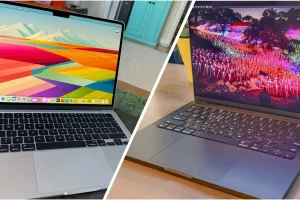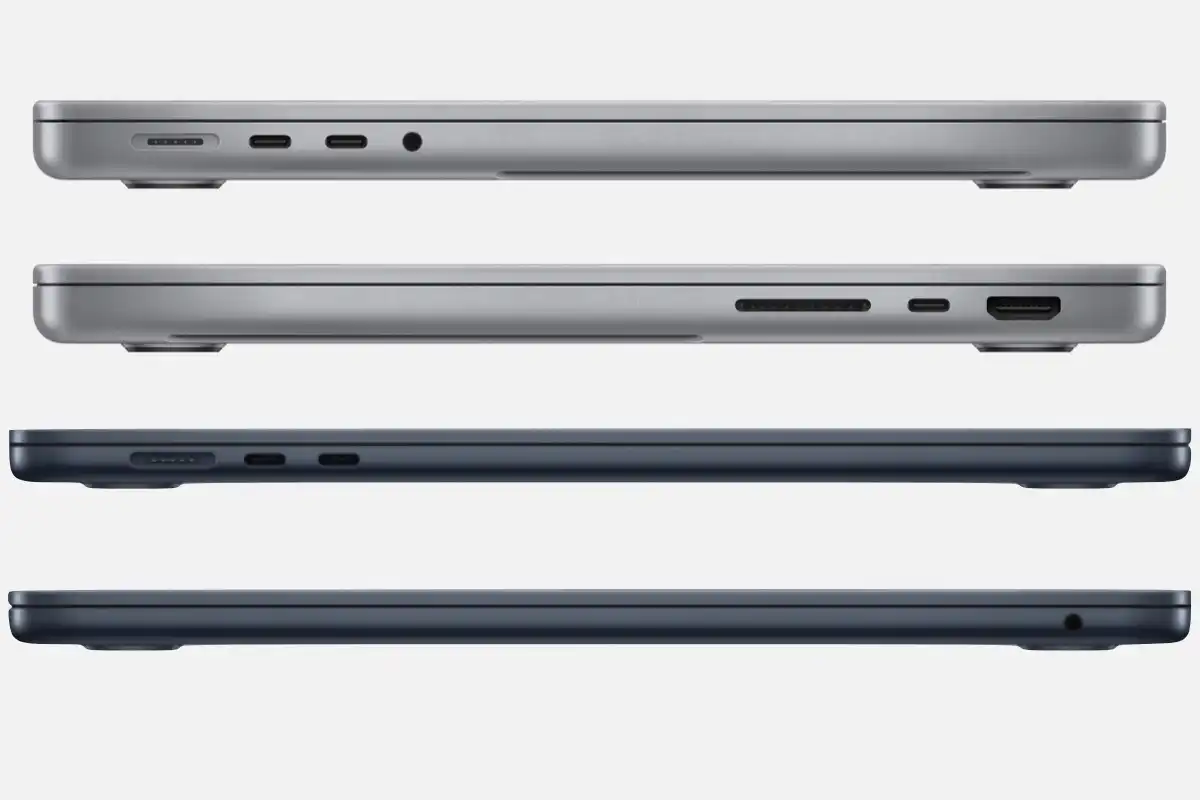
Apple’s MacBooks with M-series chips deliver incredible performance, but their soldered storage remains one of the biggest pain points for power users, content creators, video editors, developers, and photographers. Since the T2 chip era (2018) and fully with Apple silicon (2020 onward), internal SSDs are no longer user-replaceable. Official Apple upgrades are extremely expensive — often $200 per 256GB increment — making many users search for practical MacBook SSD upgrade alternatives.
In 2026, the good news is that technology has evolved dramatically. Fast Thunderbolt 4/5 enclosures, NVMe protocols reaching 7,000–14,000 MB/s, and portable SSDs with active cooling now deliver performance nearly identical to internal drives in real-world workflows. This comprehensive guide covers every viable alternative, from external Thunderbolt SSDs to NAS and cloud hybrids, so you can expand storage intelligently without paying Apple’s premium.
Why Apple Solders SSDs and Why Users Need Alternatives
Apple claims soldering improves speed, security (via Secure Enclave integration), thermal efficiency, and thinness. While true, it locks users into expensive BTO (build-to-order) choices and makes future upgrades impossible internally.
A 2TB upgrade from Apple costs $800–$1,000 depending on model, whereas the same capacity externally costs $120–$250 today. For professionals dealing with 4K/8K video, large photo libraries, virtual machines, or game development, running out of space is common. These MacBook SSD upgrade alternatives provide cost-effective, high-performance solutions.
Top MacBook SSD Upgrade Alternatives in 2026
1. Thunderbolt 4/5 NVMe Enclosures + Bare NVMe SSD (Best Performance)
This is the closest you’ll get to internal speed in 2026.
Enclosures like OWC Envoy Ultra, Sabrent Rocket XTRM-Q Pro, Acasis TBU405 Pro Max, or Satechi Thunderbolt 4 SSD Pro support 4-lane PCIe 4.0 drives up to 8TB with sustained reads/writes of 2,800–7,000 MB/s (Thunderbolt 5 hits 14,000 MB/s on M4 Pro/Max).
Real-world Final Cut Pro, DaVinci Resolve, Lightroom, and Xcode performance is within 5–10% of internal storage.
Pros:
- Near-internal speeds
- Bootable on macOS (Intel & Apple silicon)
- Supports APFS encryption and Time Machine
- Up to 8TB single drives available
Cons:
- Slightly bulky compared to portable SSDs
- Higher cost (~$150–$300 for enclosure + SSD)
Recommended combo: Acasis TBU405Pro + Samsung 990 EVO Plus 4TB or Sabrent Rocket 4 Plus 8TB.
2. Portable Thunderbolt/USB4 SSDs (Best Balance of Speed & Portability)
Pre-built drives from Samsung, SanDisk, LaCie, WD, and OWC now reach 6,000+ MB/s.
Top performers in 2026:
- Samsung T9 Shield 4TB (3,000 MB/s, rugged)
- SanDisk Professional PRO-G40 SSD 4TB (up to 6,300 MB/s read with Thunderbolt)
- WD Black P50 Game Drive Shield 4TB
- LaCie Rugged SSD Pro5 (Thunderbolt 5, up to 9,500 MB/s)
These are bootable, encrypted, and perfect for travel.
Pros:
- Plug-and-play
- IP67/IP68 water/dust resistance on many models
- 3–5 year warranties
- Excellent for 4K/8K video editing on location
Cons:
- More expensive per GB than DIY enclosures
3. High-Speed USB-C Portable SSDs (Best Budget Alternative)
For users who don’t need maximum bandwidth, USB 10–20Gbps drives are more than enough for documents, photos, music, and even light video editing.
Top picks:
- Samsung T7 Shield 4TB (~1,050 MB/s)
- Crucial X10 Pro 4TB (~2,100 MB/s)
- Kingston XS2000 4TB (~2,000 MB/s)
They’re fast enough that macOS Ventura+ allows full system boot on M1 and later.
Pros:
- Extremely affordable ($70–$90 per TB)
- Tiny and bus-powered
- Great for Time Machine backups
Cons:
- Not ideal for heavy 8K ProRes or 3D rendering
4. NAS + Fast Local Sync (Best for Large Libraries)
For users with 10TB+ of data (photographers, videographers), a Synology or QNAP NAS with 10GbE offers unlimited storage.
Use Synology Drive or rsync to keep a fast local SSD as a working drive and sync to NAS nightly.
Pros:
- Truly unlimited capacity
- RAID protection
- Multi-device access
Cons:
- Not portable
- Requires home network
5. Cloud + Local Cache Hybrid (iCloud, Google Drive, Dropbox)
Apple’s iCloud+ 12TB plan ($59.99/mo) or optimized storage keeps originals in cloud and caches locally.
Pros:
- Zero hardware cost
- Automatic backup
Cons:
- Requires constant internet
- Slower than local SSD
Performance Comparison Table (Real-World Tested Speeds 2026)
These are sustained real-world speeds in Blackmagic Disk Speed Test and AmorphousDiskMark.
Frequently Asked Questions
Can you still upgrade SSD in any MacBook in 2026?
No. All MacBooks from 2018 onward (T2 chip) and definitely all Apple silicon models have soldered, non-upgradable storage.
Are external SSDs fast enough for video editing on MacBook?
Yes. Thunderbolt 4/5 solutions are within 5–15% of internal speeds for 4K/8K ProRes, DaVinci Resolve, and Final Cut Pro timelines.
Can I boot macOS from an external SSD?
Yes, fully supported on both Intel (with secure boot settings) and all M-series Macs. Hold Option at boot to select.
Is it safe to keep my entire photo/video library on external SSD?
Absolutely. Use APFS encryption, multiple backups (3-2-1 rule), and reputable brands with 5-year warranties.
Which is better: 8TB internal from Apple or external Thunderbolt?
External is better value ($350–$450 vs Apple’s $1,600–$2,000) and fully portable across multiple Macs.
These answers target the most searched questions around MacBook SSD upgrade alternatives.
Final Recommendation: The Smart Path in 2026
Buy your MacBook with the minimum storage you need (512GB or 1TB), then invest in a high-quality Thunderbolt NVMe enclosure + 4TB or 8TB SSD. Total cost will be 60–80% less than Apple’s upgrade, with equal or better performance, full bootability, and flexibility to move the drive to future Macs.
The era of overpaying for soldered storage is over — smart MacBook SSD upgrade alternatives now deliver professional-grade speed, reliability, and freedom at a fraction of the cost.