Programming and coding require a laptop that delivers fast compile times, smooth multitasking, reliable battery life, and a comfortable environment for long sessions. Apple’s MacBooks excel in this area thanks to powerful Apple silicon, a Unix-based macOS that supports tools like Homebrew, Docker, Git, and terminal workflows natively. In 2026, with the M5 series rolling out, developers face exciting options for everything from web development to machine learning projects.
The best MacBook for programming and coding depends on your specific needs, such as running virtual machines, handling large codebases, or prioritizing portability. This guide draws from expert reviews, developer feedback, and current benchmarks to help you choose wisely. Whether you build iOS apps in Xcode, work on backend services, or experiment with local AI models, the right MacBook boosts efficiency and reduces frustration.
Why MacBooks Remain Top Choices for Developers in 2026
macOS provides a stable, secure Unix foundation ideal for development. Tools install easily via package managers, and the terminal feels natural for scripting and debugging. Apple’s unified memory architecture allows seamless switching between IDEs, browsers with dozens of tabs, and containers without slowdowns.
Battery life often exceeds a full workday, supporting remote or cafe coding. The ecosystem integrates with iPhone for testing apps and iPad for secondary displays. Regular updates ensure compatibility with the latest languages, frameworks, and security patches.
Quiet operation, premium build quality, and excellent keyboards encourage extended use. For many developers, these factors make MacBooks superior to alternatives when evaluating the best MacBook for programming and coding.
Essential Features Developers Need in a MacBook
Focus on these aspects when selecting your machine.
- Processor Power: Higher core counts speed up compilation, testing, and parallel tasks. M5 chips offer gains in single-core speed for responsive editing.
- Unified Memory (RAM): At least 24GB handles multiple IDEs, Docker, browsers, and local servers. 32GB+ suits VMs or large ML models.
- Storage: 512GB minimum; 1TB+ prevents constant management of project files and caches.
- Display: Sharp Retina screens reduce eye strain. Larger sizes aid split-screen coding.
- Battery and Portability: All-day endurance and light weight support mobile workflows.
- Cooling: Active fans in Pro models maintain performance during long builds.
- Ports and Connectivity: Thunderbolt for external drives, monitors, and docks.
These priorities guide the search for the best MacBook for programming and coding.
Top Recommended MacBooks for Programming in 2026
Apple’s current lineup features M4 and M5 chips. Here’s a breakdown of standout models.
MacBook Pro 14-inch (M5): The Balanced Choice for Most Developers
The 14-inch MacBook Pro with M5 chip stands out as a versatile pick. Its 10-core CPU and GPU deliver quick builds and smooth multitasking. The Liquid Retina XDR display offers high brightness, accurate colors, and ProMotion for fluid scrolling through code.
Active cooling prevents throttling during extended compiles or tests. Up to 24GB memory (configurable higher in some variants) supports demanding setups.
Ports include HDMI, SD card slot, and multiple Thunderbolt for peripherals. Battery life reaches 20+ hours.
Pros:
- Excellent sustained performance
- Superior display for long coding sessions
- More ports reduce dongle needs
- Future-proof for evolving tools
Cons:
- Higher price than Air
- Slightly heavier for ultra-mobile use
This model frequently ranks as the best MacBook for programming and coding for mid-to-advanced developers.
MacBook Pro 16-inch (M4 Pro or M5 Pro): Powerhouse for Heavy Workloads
For intensive tasks like game development, data science, or large-scale enterprise projects, the 16-inch MacBook Pro shines. M4 Pro or upcoming M5 Pro chips provide extra cores for faster multi-threaded operations.
The larger XDR display gives more screen real estate for multiple windows, debuggers, and documentation. Higher memory options reach 48GB+.
Fans ensure consistent speeds on long-running processes.
Pros:
- Massive screen for productivity
- Top-tier performance
- Ideal for VMs and complex builds
Cons:
- Bulkier and pricier
- Less portable
Perfect for pros needing the ultimate best MacBook for programming and coding.
MacBook Air 15-inch (M4): Best Value and Portability for Everyday Coding
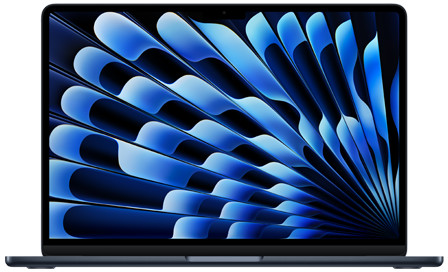
The 15-inch MacBook Air with M4 chip handles most development workflows efficiently. Fanless design keeps it silent, while the M4 chip manages IDEs, local servers, and light containers smoothly.
The larger screen improves comfort over 13-inch models. Battery life excels at 18+ hours.
Pros:
- Lightweight and thin
- Silent operation
- Affordable with strong performance
- Great for web, mobile, or script development
Cons:
- May throttle on very prolonged heavy loads
- Max 24GB memory in some configs
Ideal starter or daily driver as the best MacBook for programming and coding on a budget.
MacBook Air 13-inch (M4): Ultra-Portable Option
For maximum mobility, the 13-inch Air offers similar M4 power in a compact form. It suits students, freelancers, or those coding on the go.
Pros:
- Extremely light
- Excellent battery
- Sufficient for standard tasks
Cons:
- Smaller screen limits multitasking
A solid entry-level choice.
Comparison Table: Best MacBooks for Programming and Coding
| Model | Chip | Screen Size / Type | Max RAM | Battery Life | Best For | Approx. Starting Price |
|---|---|---|---|---|---|---|
| MacBook Pro 14-inch | M5 | 14.2″ Liquid Retina XDR | 24GB+ | 20+ hours | Balanced power, most developers | $1,599+ |
| MacBook Pro 16-inch | M4 Pro/M5 Pro | 16.2″ Liquid Retina XDR | 48GB+ | 22+ hours | Heavy builds, data/ML work | $2,499+ |
| MacBook Air 15-inch | M4 | 15.3″ Liquid Retina | 24GB | 18+ hours | Value, portability, daily coding | $1,299+ |
| MacBook Air 13-inch | M4 | 13.6″ Liquid Retina | 24GB | 18+ hours | Ultra-mobile, students/freelance | $999+ |
This table helps compare options for the best MacBook for programming and coding.
Frequently Asked Questions
What is the best MacBook for programming and coding in 2026?
The 14-inch MacBook Pro with M5 chip offers the best balance of performance, display quality, and portability for most developers handling modern workflows.
Is the MacBook Air sufficient for software development?
Yes, the M4 MacBook Air excels for web development, app prototyping, scripting, and moderate projects. It handles Docker, multiple IDEs, and browsers efficiently for everyday use.
How much RAM do I need for coding on a MacBook?
24GB unified memory covers most needs, including VMs and local servers. Opt for 32GB+ if running heavy ML models, multiple containers, or large enterprise codebases.
Should developers choose MacBook Pro or Air?
Choose Pro for sustained heavy loads, better cooling, and superior display. Air suits portability-focused coders with lighter tasks.
Will M5 chips make a big difference for programmers?
M5 brings CPU/GPU gains and better AI acceleration, benefiting compile times, local inference, and future tools, though M4 remains capable for many.
These FAQs optimize for common developer searches.
Conclusion: Picking the Best MacBook for Programming and Coding
The best MacBook for programming and coding in 2026 is the 14-inch MacBook Pro M5 for its versatility and future-proofing. For budget or portability, the 15-inch MacBook Air M4 delivers outstanding value. Consider your daily tasks: heavy compilation favors Pro models, while mobile coding leans toward Air.
Invest in ample RAM and storage for longevity. Apple’s ecosystem ensures a productive, reliable experience for years ahead.